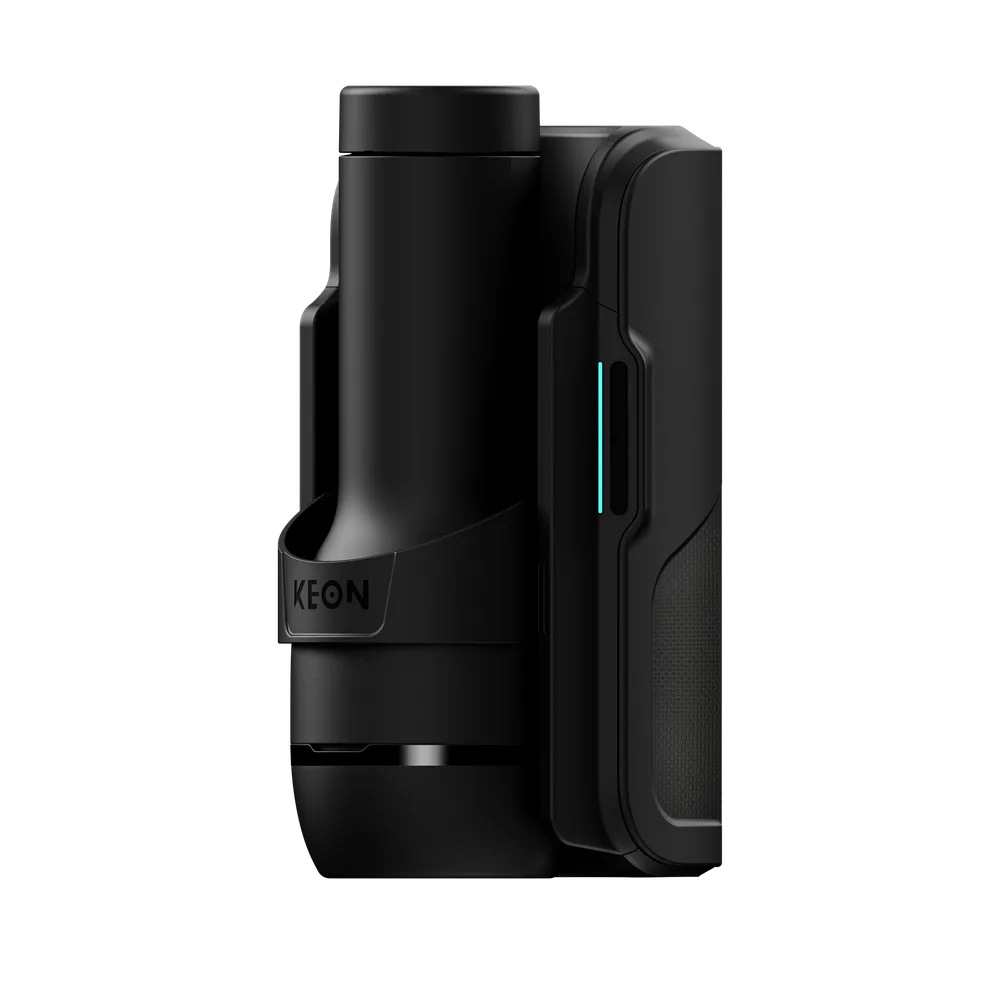
I have not run the Keon 2 myself yet. Everything below is drawn from Kiiroo's published specs and store pages, quoted per figure, plus how the device behaves over the Intiface protocol that The Edgy uses. A test unit is on the way, and I will fold in hands-on session notes when it arrives rather than pretend I have them now.
The short verdict: bring your own sleeve
Of the interactive strokers that work with an edging app, the Keon 2 is the one built around sleeve choice. Its stroke and speed are in the same league as the others, but its real differentiator is the Universal Fit accessory, an official part from Kiiroo that mounts Fleshlight and other-brand sleeves. If you already have sleeves you like, that is the reason to look at it.
- Takes your sleeves. The Keon 2 Universal Fit (a paid accessory) mounts Fleshlight and other brands. Native sleeve is the Feel Stroker.
- Solid motion numbers. 95 mm (3.74 in) stroke, up to 300 strokes/min, and it is the only one in my comparison to publish both a mm/s and a strokes/min figure.
- Battery or wall. Around 3h on battery, unlimited plugged in, though wall use needs a 100W USB-C adapter sold separately.
- Drives The Edgy over Bluetooth through the free Intiface app, not over its own Wi-Fi.
A personal word on why I am keen on this one specifically, and I will keep it honest since I have not run it yet: what excites me is the solid Fleshlight support. I own Fleshlights and I rate their sleeve textures and build above the TPE sleeves I use on The Handy, so a stroker that lets me keep that feel while gaining real-time app control is exactly what I want to try. That is anticipation, not a verdict, and I will say plainly how it holds up once the test unit is here.
How it drives The Edgy
The Edgy is a free, browser-based edging player. As you turn a knob to report how close you are, it steers the device the opposite way: the closer you get, the more it slows the motion, shortens the stroke and adds hold pauses, so it keeps you on the edge instead of over it. That only works if the device can be driven in real time, and the Keon 2 can.
It connects over Bluetooth, through a free and open-source app called Intiface (built on the Buttplug.io protocol). You run Intiface, pair the Keon 2 to it once, and The Edgy talks to it from your browser tab. The same bridge is what lets The Edgy drive 750+ other devices, so there is nothing Keon-specific to install beyond Intiface itself.
The Keon 2 also has Wi-Fi, but that side serves Kiiroo's own platforms rather than The Edgy. For The Edgy, it is a Bluetooth device, and that is a good latency band for interactive play, a notch behind The Handy's native Wi-Fi but well inside what edging needs.
The specs, sourced
Every figure here comes from Kiiroo's own spec sheet or store page. Where a note sits under a value, it is the nuance that keeps the line honest, and where Kiiroo publishes nothing, the line says so rather than carrying a number I made up.
Motion
Reciprocating (whole stroker: case + sleeve)
Stroke length
95 mm (3.74 in)
Top speed
684 mm/s (Finisher Mode only)
Kiiroo spec sheet: min speed 28.5 mm/sec, max speed 684 mm/sec in Finisher Mode. Finisher Mode is a one-button override to full power, not a speed you run a session at, and Kiiroo does not publish the ceiling outside it.
Stroke rate
Up to 300 strokes/min
Kiiroo spec sheet, verbatim: "Strokes/min: Up to 300". The Keon 2 is the only stroker in my comparison whose maker publishes both a mm/s and a strokes/min figure.
Native sleeve
Feel Stroker
Fleshlight / other sleeves
Keon 2 Universal Fit (paid accessory)
Kiiroo's store words the Universal Fit as required for using Fleshlight and other brand sleeves with the Keon 2, via a push-to-release mechanism. Sold separately, and compatible with the Keon 2 only.
Hands-free
Keon Table Clamp (sold separately)
Kiiroo sells the Keon Table Clamp as a separate accessory to lock the Keon in place for hands-free use. It is not in the box.
The Edgy connection
Bluetooth (Intiface)
The Keon 2 has Wi-Fi as well, but that serves Kiiroo's own platforms. The Edgy drives it over Bluetooth through the free, open-source Intiface app.
Connectivity
Bluetooth + Wi-Fi
Power
Battery, or wall with a 100W USB-C PD adapter
Kiiroo spec sheet: wall operation needs a 100W USB-C Power Delivery adapter, sold separately.
Battery
3h (unlimited plugged in)
Weight
996 g (2.2 lb)
Noise
Not published
Kiiroo publishes no dB figure. Its spec sheet only claims a quieter motor mount than the Keon 1.
No prices here: they vary by region and change with promotions, so a fixed number would quickly be wrong. Check the live price through the link below. Figures verified on Kiiroo's spec sheet and store in July 2026.
Sleeves and Fleshlight compatibility
This is the Keon 2's case for itself. Out of the box it uses Kiiroo's own Feel Stroker, a TPE sleeve. What sets it apart is the Keon 2 Universal Fit, a separate paid accessory that mounts a Fleshlight or other third-party sleeve using a push-to-release mechanism. Kiiroo's store wording is blunt about it: it is required for using Fleshlight and other brand sleeves with the Keon 2, and it fits the Keon 2 only.
For edging specifically, sleeve choice matters more than it sounds. The sensation is half the equation, and being able to keep a sleeve you already trust while gaining app control is a real advantage over a stroker locked to its own sleeve. It is the one thing The Handy does not do cleanly, and where the Keon 2 pulls ahead.
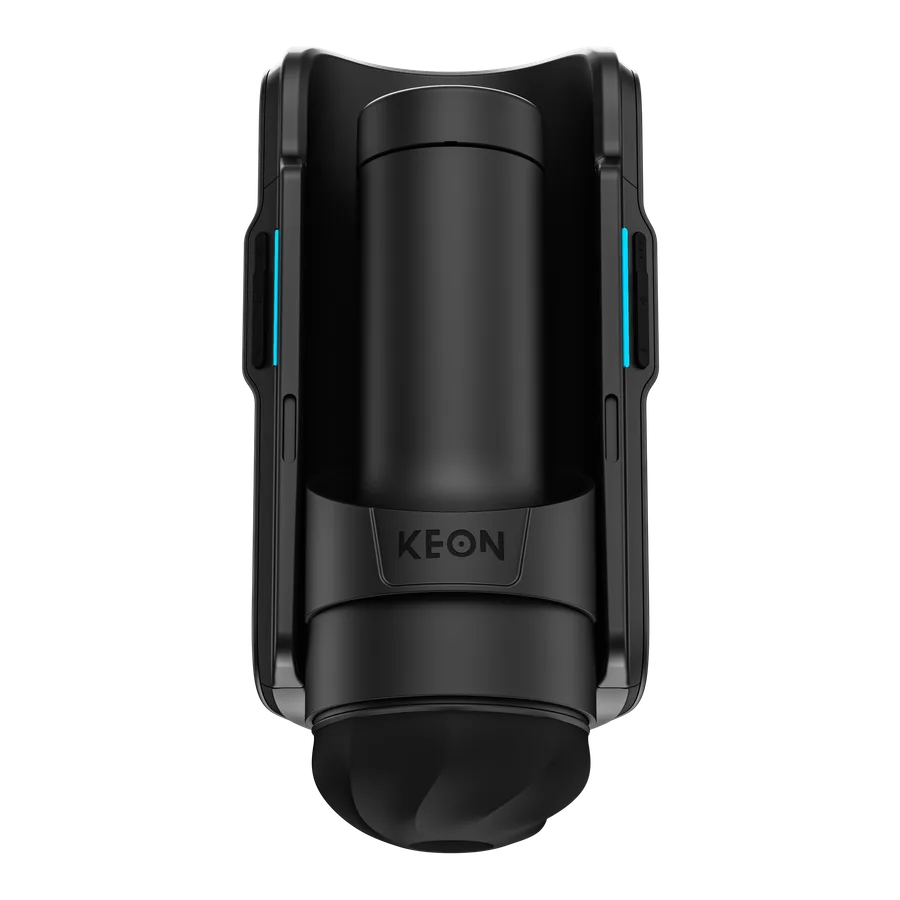
One thing worth passing on, with a clear disclaimer that I have not tested it: on the forums, some owners report that certain Fleshlight sleeves fit straight into the Keon 2's own sleeve holder, without the Universal Fit at all. The word is that it is a tight fit, snug rather than loose, but that it works. I cannot confirm it myself until the test unit lands, so treat it as a lead, not a promise, and it is flagged in the comparison table the same way.
Worth budgeting for: the Universal Fit is not in the box, so a guaranteed Fleshlight setup means the Keon 2 plus the accessory plus the sleeve.
Hands-free
With an edging app, hands-free is not a nice-to-have, it is the point: your hand stays on the arousal control while the device does the stroking. For me that makes a mount a must-have, the same call I make on The Handy. The Keon 2 goes hands-free with the Keon Table Clamp, which Kiiroo sells as a separate accessory to lock the device in place. Like the Universal Fit, it is not in the box, so a hands-free setup is another line on the order.
With the same disclaimer I use on The Handy, that I have not tested it on the Keon 2: a mount like this is mechanically just a clamp, so a photography clamp of the right size should stand in for it, which is exactly what I ended up doing on my Handy after the official cup broke. If you already own camera hardware it is worth trying before buying the branded part, but I am not promising a fit I have not checked.
One thing the Keon 2 is not: free-standing. It strokes on its own like most automatic strokers, but it is a handheld unit, so it has to be held or clamped, the same as The Handy. If you want a device that stands on its own and needs no mount at all, that is a different design, covered on the comparison page.
Battery and power
Kiiroo rates the Keon 2 at around three hours on battery, and unlimited runtime while plugged in, which covers both a cordless session and a marathon at the desk. The catch to know before you plan around wall power: Kiiroo's spec sheet says wall operation needs a 100W USB-C Power Delivery adapter, sold separately. A random phone charger will not necessarily do it, so factor that in if running plugged in matters to you.
At 996 g (2.2 lb) it is on the heavier side of handheld, which is worth knowing if you plan to hold it rather than clamp it for long sessions.
My own bias: I run my devices hands-free at a desk, plugged in, so a battery does little for me. Where it earns its place is away from the desk, and Kiiroo leans into that with a cushion accessory for lying down in bed, which is exactly where a cordless stroker makes sense. The catch, as I read it and have not tested: that cushion is listed for the Keon 1, not the Keon 2. Maybe a Keon 2 version follows, but today I would not count on the cushion if the Keon 2 is the one you buy.
The PowerBlow angle (and why it does not work with The Edgy yet)
Kiiroo sells a separate accessory called the PowerBlow that adds suction to a Feel Stroker. It does not work on its own: you pair it with a stroker, and it layers a customisable sucking sensation on top of the stroking. On Kiiroo's store it reviews well, and on paper, stroke plus suction driven together by arousal is exactly the kind of thing that could feel truly new.
The honest catch: The Edgy cannot drive it today. Kiiroo drives the PowerBlow through its own FeelConnect and FeelMeAI apps, and it is currently not listed as supported by the Buttplug.io protocol that The Edgy uses through Intiface (see its entry on the IoST device index, where Buttplug.io support shows as no and XToys as yes). So pairing it with the Keon 2 as a second device in The Edgy does not work right now.
That said, it is a Bluetooth LE device, so an eventual integration is not off the table: it would take Buttplug.io adding the PowerBlow, or The Edgy talking to it directly over BLE. If that happens, layering programmable suction onto arousal-driven stroking is the first thing I would want to wire in. I just will not claim the door is open before it actually is.
My take, for now
I find this one really promising. The Fleshlight compatibility is a big part of that, and so is the ecosystem of add-ons around it, the PowerBlow and the like, even the ones The Edgy cannot drive yet: they are the sign of a device people build around rather than a one-off.
The Keon 1 also earned a strong reputation, with good reviews on Kiiroo's own store and on forums like EroScripts, and that gives me confidence in a second generation meant to improve on it. I am reading reputation here, not my own hours, but a well-liked predecessor is a fair thing to weigh.
My honest reservations, on paper for now, are two. The first is stroke length: at 95 mm (3.74 in) it is about 3 cm (1.2 in) shorter than the Handy 2 and 1.5 cm (0.6 in) shorter than the Handy 1, which on reflection probably will not make a big difference in use. The second is that there is no low-latency API to sidestep Bluetooth. Kiiroo has an SDK page, but right now it only lets you sign up for a release alert, so there is no public control API yet. I am keeping an eye on it, because a direct link would trim the Bluetooth latency the way The Handy's Wi-Fi API does.
One more thing in its favour: Kiiroo is an established, experienced name in this space. You can see it in the breadth of its sleeve and stroker range, and in the Fleshlight partnership, which to me reads as a real quality signal. All of this is anticipation and spec reading rather than a hands-on verdict, and the test unit will be what settles it.
Where to buy the Keon 2
The Keon 2 is sold on Kiiroo's own store, where the live price and any Universal Fit or Table Clamp bundles show up. If you are getting one for use with an edging app, remember the sleeve adapter and clamp are separate line items.
Kiiroo discount code
Reader discount
10% off at checkoutexcludes pre-orders
- One-time purchases only (not subscriptions)
- Minimum spend of about $69
- Excludes pre-orders
- Doesn't stack with the store's own multi-item 10% offer - you get 10% either way
Enter it at checkout on the Kiiroo store.
Disclosure: Some links above are affiliate links. I may earn a commission at no extra cost to you. It funds The Edgy and never affects what I recommend.
Still deciding between this and the others? The full stroker comparison puts the Keon 2 next to The Handy and the Lovense Solace Pro on the numbers that matter for edging.
Frequently asked questions
Is the Kiiroo Keon 2 good for edging?
On paper it is well suited to it. Edging needs a device an app can steer in real time, slowing the motion, shortening the stroke and pausing the moment you get close. The Keon 2 pairs to The Edgy over Bluetooth through the free Intiface app, so the app can do exactly that. Its stand-out for edging is sleeve choice: the Universal Fit accessory lets you run a Fleshlight or another brand you already like. I have not run the Keon 2 myself yet, so this review is built from Kiiroo's published specs plus protocol behaviour; a test unit is on the way and I will fold in hands-on notes when it arrives.
Does the Keon 2 work with Fleshlight sleeves?
Yes, with the Keon 2 Universal Fit, a paid accessory sold separately. Kiiroo's own store words it as required for using Fleshlight and other brand sleeves with the Keon 2: it attaches a Fleshlight or compatible third-party sleeve using a push-to-release mechanism. Out of the box the Keon 2 uses Kiiroo's own Feel Stroker sleeve.
How does the Keon 2 connect to The Edgy?
Over Bluetooth, through the free and open-source Intiface app (Buttplug.io). You run Intiface, pair the Keon 2 to it, and The Edgy talks to it from the browser. The Keon 2 also has Wi-Fi, but that is used by Kiiroo's own platforms, not by The Edgy, which drives it over Bluetooth.
How fast is the Keon 2?
Kiiroo publishes a minimum speed of 28.5 mm/sec and a maximum of 684 mm/sec, but that 684 figure is Finisher Mode only, a one-button instant override to maximum power rather than a speed you run a whole session at. Kiiroo does not publish the ceiling outside Finisher Mode. It also publishes a stroke rate of up to 300 strokes per minute, and it is the only stroker in my comparison whose maker publishes both units.
Can you use the Keon 2 hands-free?
Yes, with the Keon Table Clamp, which Kiiroo sells as a separate accessory worded to lock the Keon in place for fully hands-free use. It is not in the box. Hands-free is the natural way to run any of these with an edging app, since your hand stays on the arousal control while the device does the moving.
Keon 2 or The Handy for edging?
The Handy connects to The Edgy over native Wi-Fi, which gives the lowest latency and needs no app installed. The Keon 2 connects over Bluetooth through Intiface, and its edge is sleeve choice: with the Universal Fit it takes Fleshlight and other brands, which The Handy does not do well. Pick The Handy for the tightest sync, the Keon 2 if you want to bring your own sleeve. There is a full side-by-side on the comparison page.
Is there a discount code for the Keon 2?
Kiiroo set up the code EDGY10 for readers: 10% off at checkout on Kiiroo's store. It does not work on pre-orders, so check on Kiiroo's page whether the Keon 2 is in stock or on pre-order before you count on it. It also needs a minimum spend (listed with the code on this page), works on one-time purchases only (not subscriptions), and does not stack with the store's own multi-item 10% offer: you get 10% either way.
Where this comparison comes from
I build The Edgy, the edging app that drives the Keon 2, so I know how it behaves over the protocol. What I do not have yet is a Keon 2 in my hands. So this page is honest about its two layers: the specs and store facts come from Kiiroo, quoted figure by figure, and the connection behaviour comes from working with the device over Intiface.
A test unit is on the way. When it lands, the parts that need a body behind them, how the Feel Stroker actually feels, whether a Fleshlight really seats cleanly on the Universal Fit, real noise, real speed outside Finisher Mode, get added as hands-on notes, and I will mark clearly what changed from spec to experience. Until then I would rather tell you where a number came from than dress a spec sheet up as a review.
How this page is funded
The Edgy is free. The whole player, the seven built-in behaviors, the built-in music sets and the full editor, with no account, no subscription and no ads. The one thing I sell is an optional pack of ready-made behaviors on Ko-fi, for people who would rather not build their own. Nothing in the player is locked behind it.
Some links on this page are affiliate links. If you buy through one, the brand pays me a commission at no extra cost to you, and that is what pays for the hosting and the hours that go into building this. It is the reason the app can stay free.
What it does not buy: my opinion. I am one developer, not a review farm. No brand pays for a spot on this page, for a ranking, or for a good word. Commission rates differ between brands and I do not rank on them. Specs are sourced from the manufacturers and stated as such, hands-on impressions are my own, and the shortcomings stay in even when they cost me a sale. If a device is not right for you, I would rather say so than sell it to you.
More detail in my legal notice.